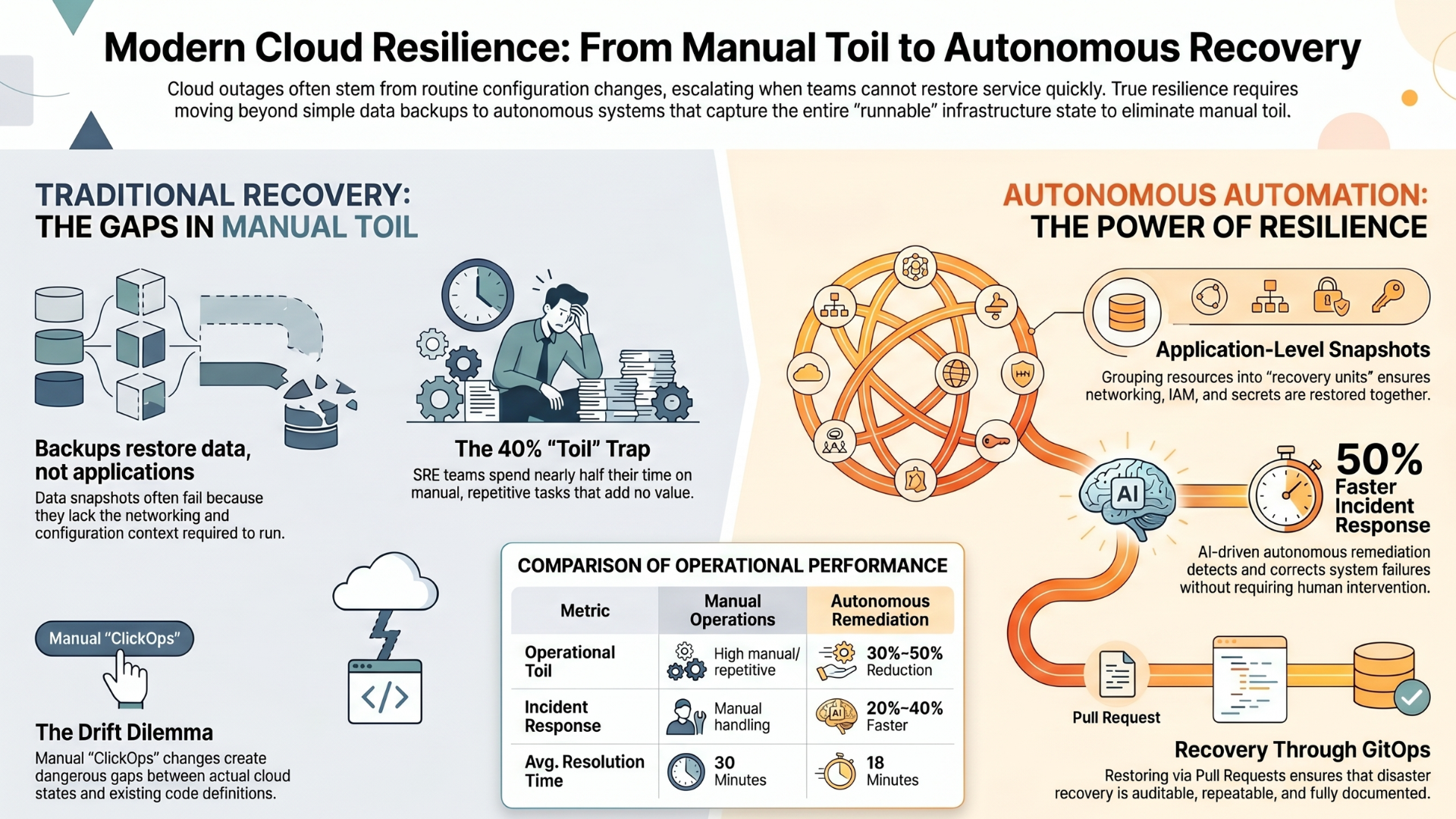
Cloud computing has fundamentally reshaped how organizations build, deploy, and manage technology. While much of the conversation around the cloud focuses on business outcomes cost savings, scalability, and innovation its impact on IT staff is equally profound.
How Cloud Computing Can Benefit IT Staff
For IT professionals, cloud computing is not just a new infrastructure model; it represents a shift in how they work, the skills they develop, and the value they deliver.
This article explores in depth how cloud computing benefits IT staff, transforming their roles from reactive system managers into proactive strategic contributors.
1. Reduced Infrastructure Management Burden
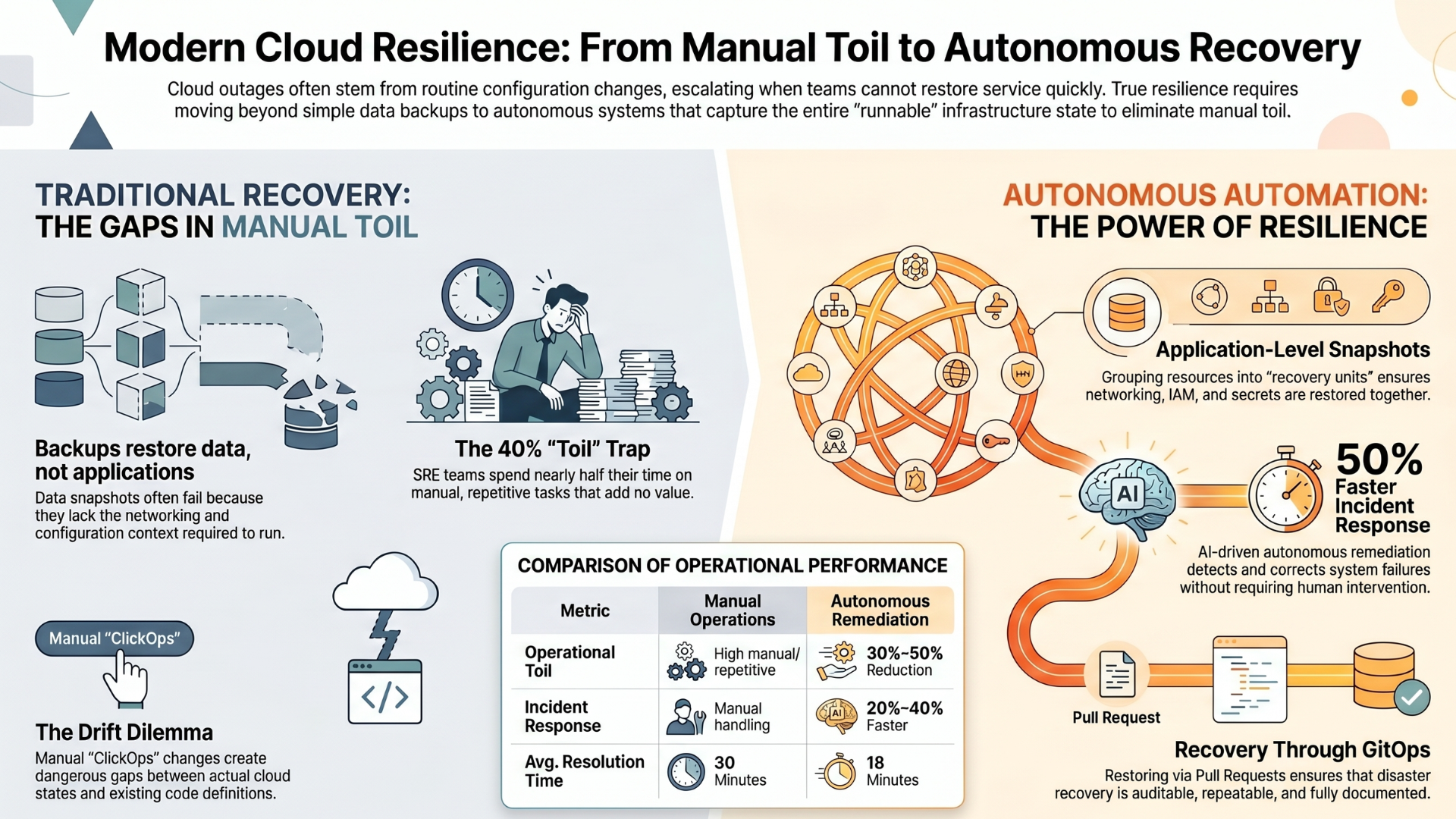
Traditionally, IT staff spent a significant portion of their time managing physical infrastructure servers, storage devices, networking hardware, and data centers. Tasks like provisioning servers, replacing hardware, applying patches, and ensuring uptime were time-consuming and often repetitive.
Cloud computing eliminates much of this burden.
With cloud platforms, infrastructure is abstracted and managed by service providers. IT staff no longer need to:
Physically install servers
Worry about hardware failures
Handle manual capacity planning
Maintain cooling, power, and data center space
Instead, infrastructure can be provisioned with a few clicks or API calls. This allows IT professionals to shift their focus from maintenance to innovation.
Impact: IT staff gain more time to work on meaningful, high-value projects instead of routine operational tasks.
2. Increased Productivity Through Automation
Cloud platforms come with built-in automation capabilities that streamline IT workflows. Tasks that once required manual intervention can now be automated using scripts, templates, and orchestration tools.
Examples include:
Auto-scaling infrastructure based on demand
Automated backups and disaster recovery
Continuous integration and deployment (CI/CD) pipelines
Infrastructure as Code (IaC)
Automation reduces human error and accelerates processes.
Impact: IT staff can manage larger systems with less effort, increasing overall productivity and efficiency.
3. Access to Modern Tools and Technologies
Cloud computing provides immediate access to cutting-edge tools and services that would be difficult or expensive to implement on-premises.
These include:
Artificial intelligence and machine learning services
Big data analytics platforms
Serverless computing
Container orchestration systems
Advanced security and monitoring tools
IT professionals can experiment with and deploy these technologies without heavy upfront investment.
Impact: IT staff stay at the forefront of technological innovation, enhancing their skills and career growth.
4. Enhanced Flexibility and Remote Work Capabilities
Cloud computing enables IT staff to work from anywhere. Since systems and resources are hosted in the cloud, they can be accessed securely via the internet.
This is especially valuable in modern distributed work environments.
Benefits include:
Remote system monitoring and management
Access to dashboards and logs from any location
Collaboration across global teams
Reduced dependency on physical presence
Impact: IT professionals enjoy better work-life balance and greater flexibility in how and where they work.
5. Improved Collaboration Across Teams
Cloud environments foster collaboration by providing shared platforms and centralized resources.
IT teams can:
Share configurations and environments
Collaborate on deployments in real time
Use version-controlled infrastructure and code
Integrate with collaboration tools
Developers, operations teams, and security teams can work together more seamlessly.
Impact: Breaks down silos and encourages cross-functional teamwork, improving overall efficiency.
6. Faster Deployment and Time-to-Market
In traditional environments, deploying applications could take weeks or even months due to hardware procurement and setup.
Cloud computing accelerates this process dramatically.
IT staff can:
Launch servers instantly
Deploy applications in minutes
Scale environments on demand
Use pre-configured templates
Impact: IT teams can respond quickly to business needs, reducing delays and increasing competitiveness.
7. Scalability Without Complexity
One of the biggest advantages of the cloud is scalability. IT staff can easily scale resources up or down based on demand.
This eliminates the need for:
Over-provisioning hardware
Predicting future capacity needs
Handling sudden traffic spikes manually
Scaling can often be automated.
Impact: IT staff can manage dynamic workloads efficiently without constant intervention.
8. Cost Efficiency and Budget Control
Cloud computing operates on a pay-as-you-go model. Organizations only pay for the resources they use.
For IT staff, this means:
No need for large upfront capital expenditures
Better visibility into resource usage
Ability to optimize costs through monitoring tools
IT professionals can align technology usage with business needs more effectively.
Impact: Reduces financial pressure and allows IT teams to make smarter resource decisions.
9. Enhanced Security Capabilities
Cloud providers invest heavily in security, offering advanced features that are difficult to replicate in-house.
These include:
Identity and access management (IAM)
Encryption at rest and in transit
Threat detection and monitoring
Compliance certifications
While security remains a shared responsibility, IT staff gain access to powerful tools.
Impact: Improves the organization’s security posture while reducing the burden on internal teams.
10. Built-in Disaster Recovery and Backup Solutions
Disaster recovery is critical but traditionally complex and expensive to implement.
Cloud computing simplifies this with:
Automated backups
Geographic redundancy
Quick failover mechanisms
Recovery testing tools
IT staff can design robust disaster recovery strategies without significant infrastructure investment.
Impact: Ensures business continuity with less effort and lower cost.
11. Continuous Learning and Skill Development
Cloud computing encourages IT professionals to continuously learn and adapt.
New skills include:
Cloud architecture
DevOps practices
Automation and scripting
Security in cloud environments
Data engineering and analytics
Certifications and hands-on experience in cloud platforms are highly valued in the job market.
Impact: Enhances career growth and keeps IT staff relevant in a rapidly evolving industry.
12. Transition from Reactive to Proactive Roles
In traditional IT environments, teams often operated reactively fixing issues after they occurred.
Cloud computing enables a proactive approach through:
Real-time monitoring
Predictive analytics
Automated alerts
Self-healing systems
IT staff can identify and resolve issues before they impact users.
Impact: Shifts the role of IT from “firefighting” to strategic planning and optimization.
13. Better Work Satisfaction
Repetitive and manual tasks can lead to burnout among IT staff. Cloud computing reduces these tasks, allowing professionals to focus on creative and impactful work.
They can:
Design scalable architectures
Experiment with new technologies
Contribute to business strategy
Solve complex challenges
Impact: Increases job satisfaction and motivation.
14. Standardization and Consistency
Cloud environments promote standardization through templates and automation.
Using Infrastructure as Code (IaC), IT teams can:
Define environments in code
Ensure consistency across deployments
Reduce configuration drift
Simplify troubleshooting
Impact: Improves reliability and reduces errors in system management.
15. Easier Integration with Modern Development Practices
Cloud computing aligns naturally with modern development methodologies like DevOps and Agile.
IT staff can:
Collaborate closely with developers
Automate deployment pipelines
Monitor application performance in real time
Iterate quickly based on feedback
Impact: Creates a more dynamic and responsive development environment.
16. Global Reach and Accessibility
Cloud platforms operate across multiple regions and data centers worldwide.
IT staff can:
Deploy applications globally
Serve users with low latency
Manage international operations
Impact: Enables IT teams to support global business expansion effortlessly.
17. Improved Monitoring and Observability
Cloud environments offer advanced monitoring tools that provide deep insights into system performance.
Features include:
Real-time metrics and logs
Application performance monitoring (APM)
Custom dashboards
Automated alerts
Impact: IT staff gain better visibility into systems, leading to faster troubleshooting and optimization.
18. Simplified Testing and Development Environments
Creating test environments in traditional setups is costly and time-consuming.
Cloud computing allows IT teams to:
Spin up environments on demand
Replicate production settings
Run experiments without risk
Shut down environments when not needed
Impact:
Encourages innovation and reduces development bottlenecks.
19. Support for Innovation and Experimentation
Cloud platforms make it easier to experiment with new ideas.
IT staff can:
Test new applications
Explore emerging technologies
Build prototypes quickly
Fail fast without major financial impact
Impact:
Fosters a culture of innovation within IT teams.
20. Alignment with Business Goals
Cloud computing enables IT staff to align more closely with business objectives.
Instead of focusing solely on infrastructure, they can:
Contribute to strategic decision-making
Optimize customer experiences
Support digital transformation initiatives
Impact:
Positions IT as a key driver of business success rather than just a support function.
Conclusion
Cloud computing is not just a technological shift it’s a transformation in how IT staff operate, think, and contribute to organizations. By reducing manual workloads, enabling automation, and providing access to advanced tools, the cloud empowers IT professionals to move beyond traditional roles.
They become innovators, strategists, and enablers of growth.
The benefits are clear:
Less time spent on maintenance
More focus on innovation
Greater flexibility and collaboration
Enhanced skills and career opportunities
Stronger alignment with business goals
For IT staff, embracing cloud computing is not optional it is essential for staying relevant and thriving in the modern digital landscape.
As organizations continue to adopt cloud technologies, the role of IT professionals will only become more impactful, strategic, and rewarding.